 eRMA
eRMA Dependency Designer and Impact Map: see what depends on what
Draw dependencies on a canvas, review every change before saving, then trace any outage to the processes it reaches and the RTOs it would break.
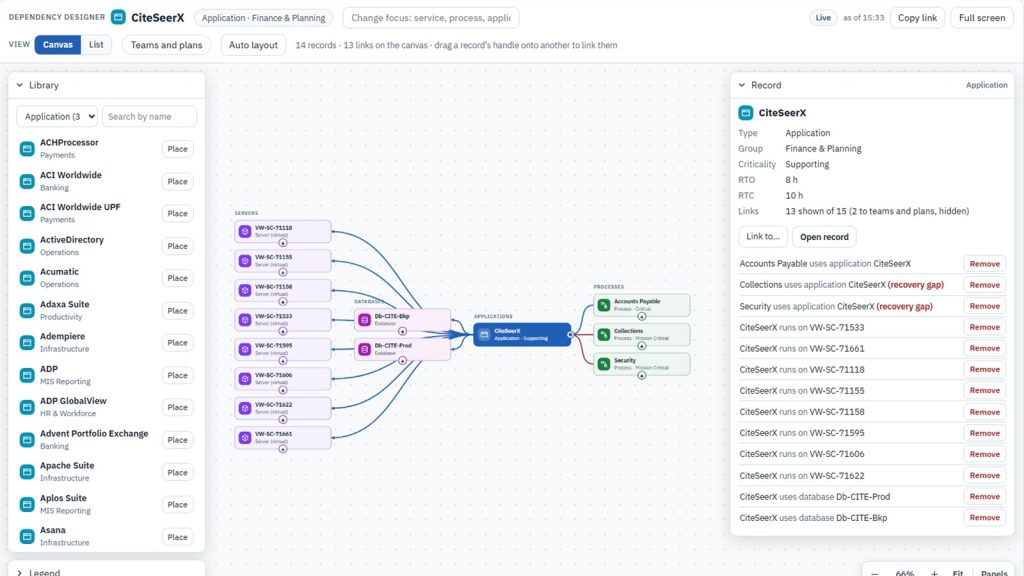
Most recovery surprises are dependency surprises: the application nobody listed, the server three critical processes share, the vendor behind a service everyone thought was in-house. eRMA gives the dependency model two views. The Dependency Designer is where links are drawn and kept current. The Impact Map is where they are read, so an outage can be traced to everything it reaches before it happens for real.
The problem it solves
- “Our dependencies are in a dozen spreadsheets, one per team, and none of them agree.”
- “When a server goes down, it takes an afternoon to work out which processes are affected.”
- “The process needs to be back in four hours, but nobody checked how long the application behind it takes to recover.”
How it works
1. Draw the links on a canvas
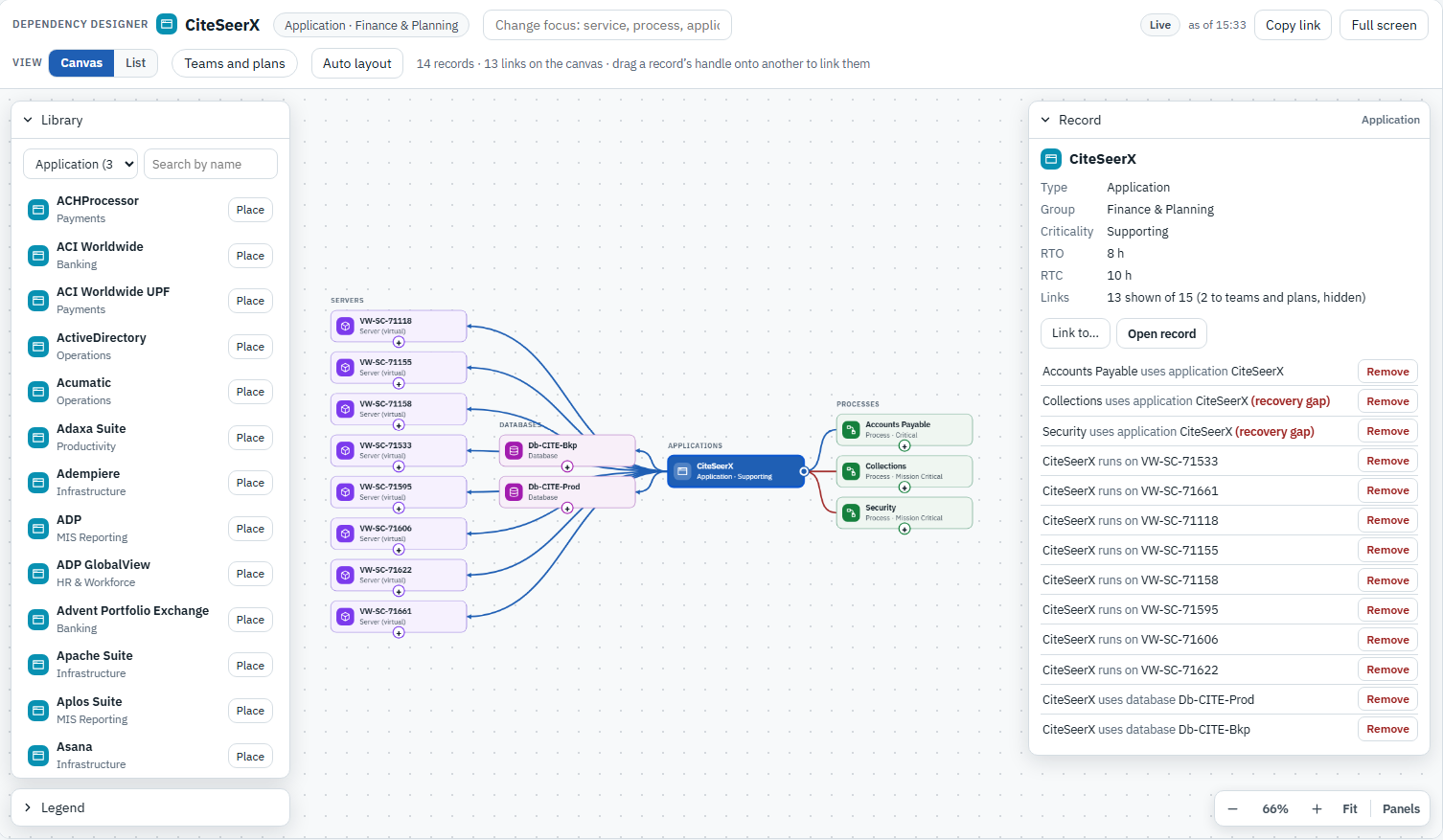
The Dependency Designer opens on one record, such as a process, application or service, and shows what it is linked to: applications, servers, databases, locations, other processes, and customers and suppliers. To add a link, drag a record’s handle onto another record, or place a record from the library and link it there. Keyboard users get the same result through “Link to…”. The designer only offers links that make sense: it refuses a duplicate, a link from a record to itself, or one that would create a loop.
New links and changes are collected first, not saved one by one. “Review and save” lists every change before it is written, and the whole set is saved together or not at all. If someone else changed the same record in the meantime, the designer says so instead of overwriting their work. Any link whose recovery doesn’t fit is marked as a recovery gap on the spot.
2. Trace an outage before it happens
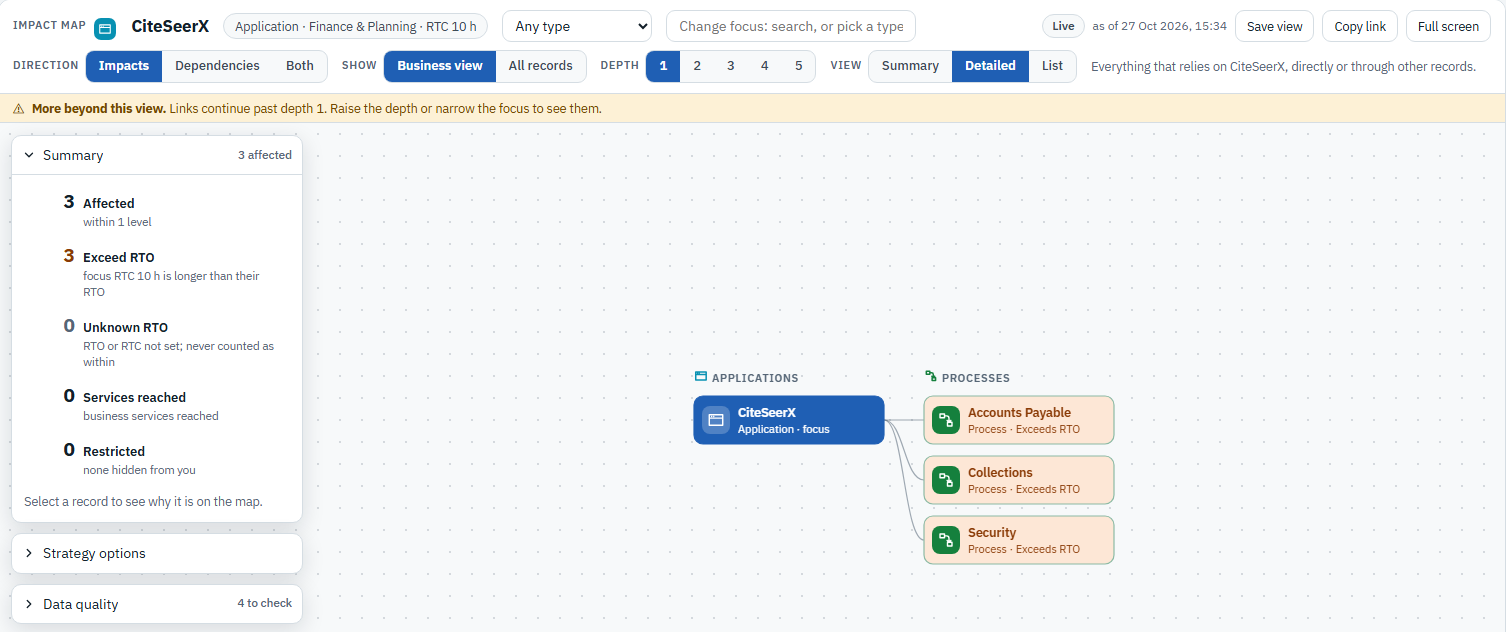
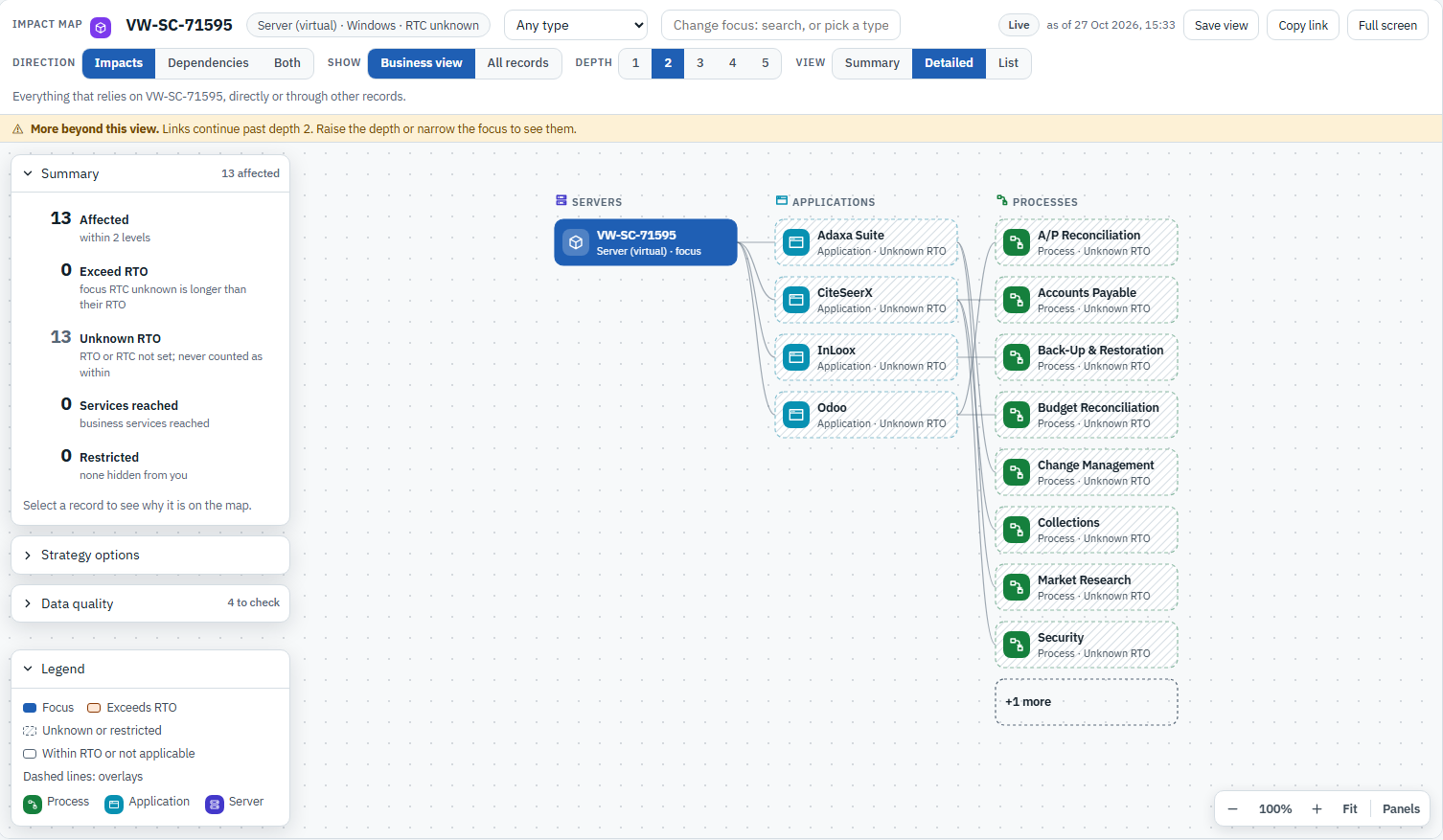
The Impact Map starts from any record and follows the links in either direction. “Impacts” shows everything that relies on the record, “Dependencies” shows what it relies on, and “Both” shows the two together, from one to five levels deep. The business view keeps the picture readable by listing services, processes, applications, and customers and suppliers. Servers and databases appear only where they connect them. One switch shows all records.
The summary beside the map counts what is affected and how many of those records the outage would push past their RTO: here, an application that takes ten hours to recover today, supporting three processes that need it back sooner. Panels on the same page list shared dependencies, data-quality issues to check, and the recovery strategy options for the record in focus. A view can be saved or shared as a link.
3. Let the unknowns show
When a record has no recovery time set, the Impact Map says Unknown instead of assuming it will be fine. Each affected record carries the label, and the summary counts them separately, so missing data is a visible gap rather than a silent pass. Records the viewer is not allowed to read are counted as Restricted, never left out.
What it proves
The designer, the Impact Map, the business impact analysis and recovery planning all read the same links, so a dependency is recorded once and used everywhere. A gap is shown where it occurs, at the link that causes it. Unknown is never shown as healthy, and Restricted is never shown as zero. When an incident or exercise starts, the picture of what depends on what is already drawn.
See it on your own data: Book a demo